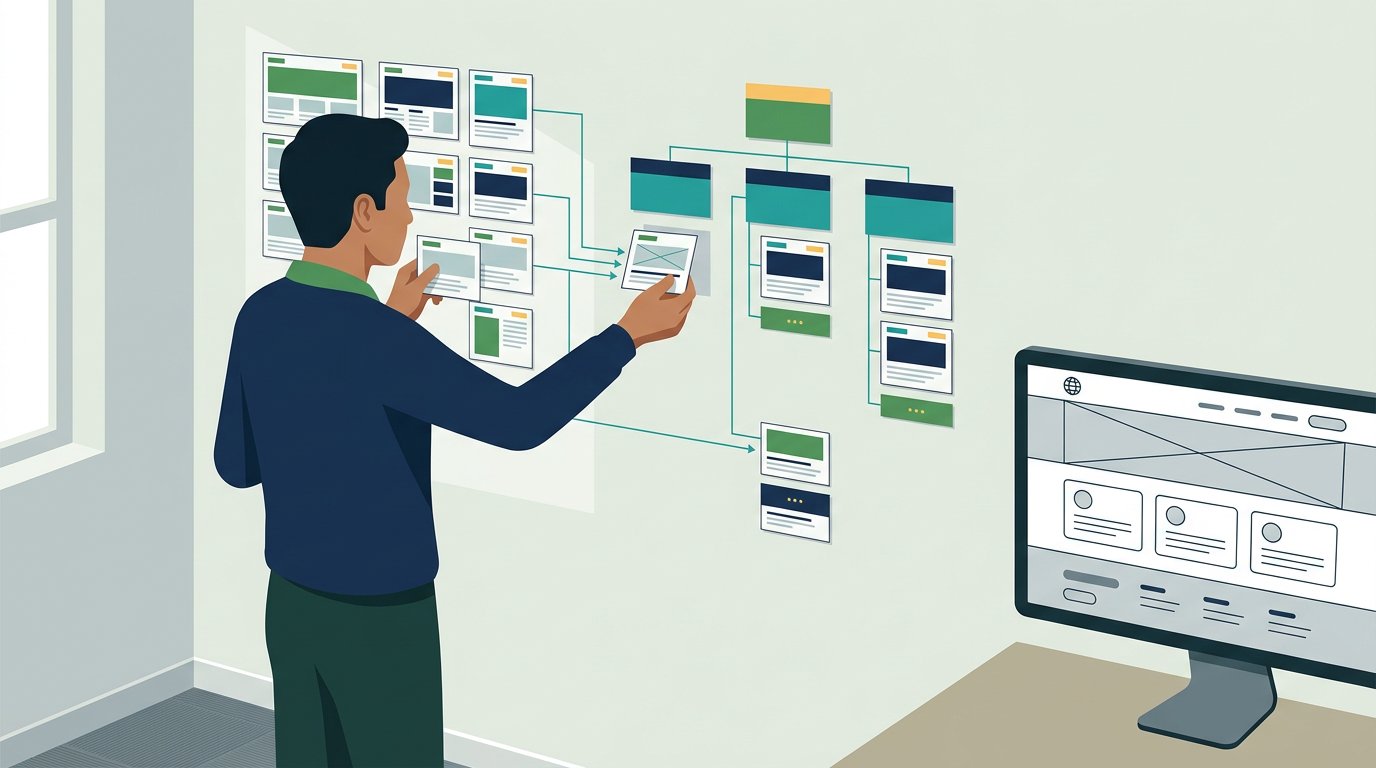
A corporate website redesign is an operational reset, not just a visual refresh. A practical corporate website redesign checklist covers business goals, user experience, functionality, content, SEO migration, testing, and post-launch monitoring, so the new site supports the way your business needs to perform. A refresh may retain the existing structure, while a full redesign can reshape both the structure and the user experience.
A dated or difficult-to-use site can weaken trust and make it harder for visitors to take action. This guide explains what a redesign involves, when to begin, why to make the change, and how to prepare content for migration, testing, and post-launch assessment.
Key Takeaways
- Assess how site performance, visitor behaviour, and design support your business goals before choosing the scale of a revamp.
- Inventory important pages and plan relevant redirects to protect search visibility during migration.
- Use clear project stages, from discovery and design through testing, to prepare for a controlled launch.
- Connect redesign decisions to practical needs such as mobile usability, accessibility, and easier customer journeys.
What Does a Website Redesign Typically Involve?
A redesign begins with evidence, not a new visual style. Review current traffic, conversions, user experience, and design, then compare roughly five competitors to identify gaps in navigation, page content, and calls to action. Include desktop and mobile views so the audit reflects how visitors actually use the site.
Set goals and KPIs by recording current performance, choosing business outcomes, and assigning each outcome a measure and timeframe. For example, a goal could target a 30% increase in monthly visitors within six months after launch. A redesign brief should state the audience, objectives, priority pages, required functionality, brand direction, and success measures.
Audit SEO and user experience page by page. Record organic traffic, search rankings, conversions, and pages that attract valuable visits. Then identify confusing navigation, broken links, and journeys that do not lead visitors to the right action. Keep a baseline for comparison after launch, and review existing redirects because URL changes can affect how visitors and search engines reach important content.
- Measure page speed and set performance targets, including Largest Contentful Paint below 2.5 seconds, Cumulative Layout Shift below 0.1, and Interaction to Next Paint below 200 milliseconds.
- Map key forms and test required fields, validation messages, and successful submissions to catch failures before launch.
- Test site search with representative queries, then check whether results help visitors find relevant pages.
- Review navigation and page elements across screen sizes to spot inconsistent menus or missing content.
Development should turn the approved brief into working page templates, forms, and search, while preserving essential content and tracking. Quality checks should look for 404 errors, redirect chains, missing page elements, and inconsistent navigation before launch. A live crawl after release can confirm that key pages resolve correctly and that planned redirects lead visitors to relevant destinations.
This corporate website redesign checklist connects decisions to measurable outcomes: document the baseline, define the target, and test the experience before release. GA4 events and form conversions can then help you assess whether the redesigned journeys are working as intended.
Content inventory and SEO-first migration
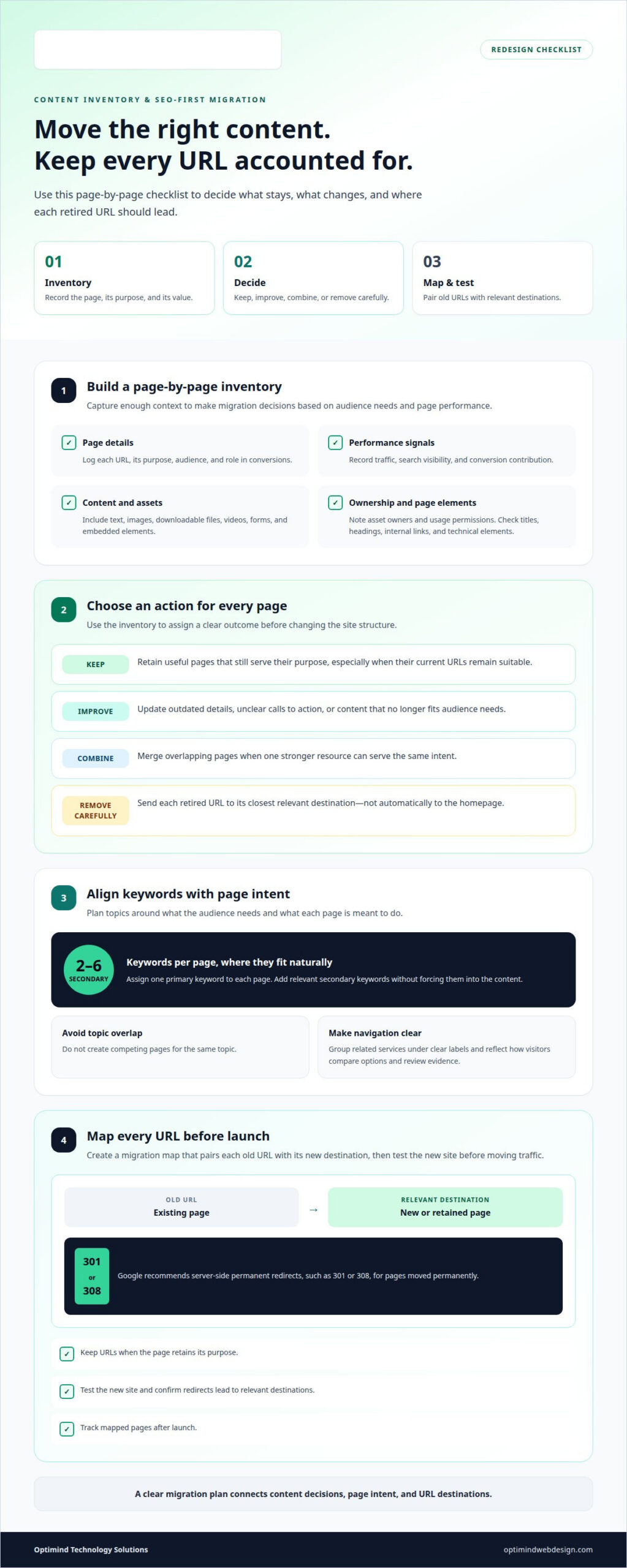
Create a page-by-page inventory before changing the site structure. Record each URL, its purpose and audience, traffic, search visibility, and role in conversions. This gives the project team a clear basis for deciding whether to keep, improve, combine, or remove each page. Preserve pages that attract valuable visitors or meet important customer needs.
Review more than text. Log images, downloadable files, videos, forms, and embedded elements, noting who owns each asset and whether its usage permissions cover the redesigned site. For example, flag an outdated service image for replacement while retaining a current product guide. Check headings, page titles, internal links, and technical elements alongside each asset.
Map keyword research to audience needs and page intent. Assign one primary keyword to each page, then use 2-6 secondary keywords where they fit naturally. Avoid creating competing pages for the same topic. Group related services under clear navigation labels, and plan a layout that reflects how visitors compare options, review evidence, and take action.
- Keep: Retain useful pages that serve the same purpose, especially when their current URLs remain suitable.
- Improve: Update pages with outdated details, unclear calls to action, or content that no longer matches audience needs.
- Combine: Merge overlapping pages when one stronger resource can serve the same intent.
- Remove carefully: Match each retired URL to its closest relevant destination instead of sending every page to the homepage.
Create a migration map that pairs every old URL with its new destination, then test the new site before moving traffic. Google recommends server-side permanent redirects, such as 301 or 308, for pages moved permanently. Keep URLs when pages retain their purpose, and track mapped pages after launch. A focused web design and development plan can align content structure, user journeys, and migration requirements.
When is the Right Time For a Website Revamp?
Start planning when the current site blocks business goals, not simply because its visual style feels old. A loading time over 3 seconds is one sign to investigate; a site that is 6-7 years old may also feel dated. Analytics can show whether visitors reach key pages, complete forms, or leave before taking action. Pair those signals with internal feedback about mobile usability, page clarity, and changing customer needs.
A redesign changes both visual elements and functionality, from smaller layout updates to a complete overhaul. The schedule depends on scope, but a typical project takes 12-20 weeks. Staged planning gives teams time to define requirements, test decisions, and resolve issues before launch.
- Discovery, 2-4 weeks: Set business goals, review audience needs, and document page-level requirements so the project has a clear success measure.
- Design, 4-6 weeks: Develop page layouts and visual direction, then apply a design system with reusable components for consistent pages.
- Development and testing, 6-8 weeks: Build approved designs, check interactive features, and test mobile usability before the site reaches customers.
- Launch, one week: Complete final quality checks and release the site with key journeys ready for real use.
Build accessibility into design decisions, not as a final patch. The checklist recommends designing for WCAG 2.2 accessibility compliance, including clear contrast, readable text, keyboard access, and meaningful labels. Reusable components help teams apply these choices consistently across page types.
Quality assurance should cover mobile responsiveness, load times, interactive features, and links across key page templates. User acceptance testing lets people try the site’s functions before launch, and their feedback can reveal unclear labels or difficult form steps. A redesign is timely when analytics, user needs, or operational requirements show that the existing experience no longer supports the intended business outcomes.
Reasons to redesign a corporate website
A redesign earns its place when the actual site no longer supports customer needs or business goals. A desktop-first design can make it harder for phone users to navigate and complete tasks, so mobile needs should be considered during a redesign. A clear mobile experience, useful content, and straightforward navigation help visitors move from discovery to action.
Speed is another business reason. Roughly 40% of users will abandon a website if it takes more than three seconds to load. Slow pages can interrupt research, form completion, and purchase journeys. A redesign can address the underlying layout and technical issues, rather than simply changing colours and imagery.
Trust and accessibility matter, too. WebAIM’s February 2026 analysis found an average of 56.1 accessibility errors per page on the top one million homepages. It also found that 83.9% contained low-contrast text below WCAG 2 AA thresholds. These findings show why readable contrast, clear labels, and keyboard access deserve attention during redesign planning.
- Refresh navigation: Group related information so visitors can find services, contact details, and supporting evidence without confusion.
- Improve the conversion path: Make the next step clear on pages where visitors request information or begin a purchase.
- Update outdated content: Align service descriptions, images, and calls to action with what the business actually offers.
- Protect search visibility: Map changed URLs to relevant destinations and test redirects, since search rankings may shift during a migration.
The main risks are lost search visibility, broken user journeys, and a visual update that leaves usability problems unresolved. Reduce these risks by mapping URLs, testing forms and navigation, and checking mobile pages before launch. Search engines may take time to reflect changed pages in results, so monitor traffic and rankings after release.
Use a redesign to make the site clearer, faster, and easier to use. Plan a corporate website redesign around the customer journeys and business outcomes that matter most.
Optimind Technology Solutions
Optimind Technology Solutions helps turn redesign priorities into a clear, usable website plan. If your current site no longer supports business goals, customer journeys, or internal workflows, Optimind’s Web Design and Development and UX Design services can shape a stronger experience from structure through launch. For needs beyond standard pages, Custom Web Application Development supports tailored functionality, while E-Commerce Development can address online shopping journeys.
Bring your goals, priority audiences, existing content, and key technical requirements to the discussion. These give the project team a practical foundation for planning the site’s design and functionality together. Contact Optimind Technology Solutions to discuss your corporate website redesign.
Turn Your Redesign Plan Into the Next Step
A redesign moves forward when decision-makers agree on what success means and how they will approve key choices. Use your corporate website redesign checklist to set priorities across leadership, marketing, and technical teams, then establish a process for resolving competing requests. Clear decisions keep the work focused as requirements evolve.
Optimind Technology Solutions translates business requirements into practical website decisions. This expertise can help your team connect the site’s direction with operational priorities and customer needs.
Start with a focused conversation about your goals and requirements. Contact Optimind Technology Solutions to discuss your next steps and move your redesign plans forward with confidence.
Frequently Asked Questions
What’s the difference between a redesign and a refresh?
Choose a refresh when the current site structure still serves customers but its presentation needs updating. Choose a redesign when the underlying system or visitor journeys need reworking. To decide, identify whether the main problem lies in surface details, such as dated typography, or in how people find information, use features, and complete tasks.
What should a corporate website redesign checklist include?
Include decision owners, approval steps, dependencies, and acceptance criteria in the project requirements. Specify who approves brand assets, supplies final copy, and owns integrations such as CRM forms. Define what “ready” means for each deliverable so the team can resolve gaps before they block other work or lead to conflicting feedback late in the project.
What are the steps in a corporate website redesign project?
Organize the work around clear handoffs: approve requirements, sign off on representative page designs, confirm working features, and authorize release. Keep a decision log with each choice, its owner, and any affected pages or systems. This gives internal teams a shared reference when a late request changes scope, content, or functionality.
How do you audit an existing corporate website before redesigning it?
Create a technical inventory of connected systems, including CRM forms, analytics tags, search tools, and third-party embeds. Record where each integration appears and which business process depends on it. Then test important journeys with realistic inputs, such as submitting an enquiry with a required field left blank, to reveal operational issues a visual review may miss.
How do you plan website content, navigation, and information architecture?
Use navigation labels your customers recognize, rather than internal department names. Check that labels distinguish similar topics and that page ownership is clear after launch. If the site serves several audiences, create separate entry points only when their needs genuinely differ. Otherwise, shared pages can prevent duplicate content and keep updates consistent.
What UX, accessibility, and mobile design requirements should a corporate website meet?
Make essential actions usable without a mouse, and give headings and form controls meaningful programmatic labels. Check that error messages explain how to fix a problem, not just that one occurred. On mobile, test portrait and landscape views, browser zoom, and on-screen keyboard behaviour to ensure fields and buttons remain usable throughout a task.