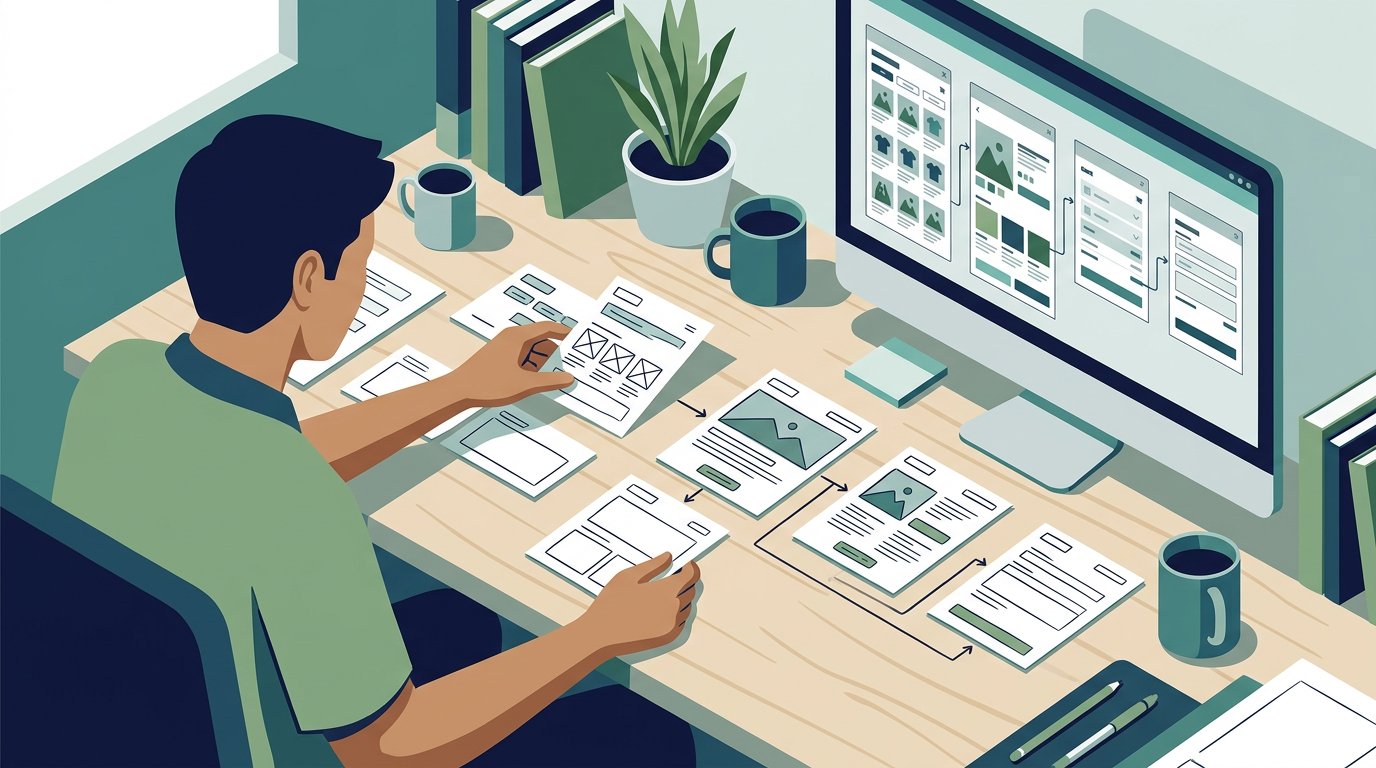
Plan a website by defining its pages and user paths, then sketching each page in a wireframe before adding interactions and visual detail in a prototype. A website wireframe and prototype design process progresses from low-fidelity sketches to mid-fidelity flows and interface elements, then to high-fidelity simulations that let you test how the site works. Each level helps shape a clearer, more usable website.
Key Takeaways
- Start with the pages, content, and user paths your website needs before shaping individual screens.
- Choose low, mid, or high fidelity based on what you need to communicate or test at each design stage.
- Use wireframes to align stakeholders on structure early, then prototypes to explore interactions and gather focused feedback.
- Map navigation and page layouts before visual polish to spot usability gaps while changes are easier to make.
Low-, mid-, and high-fidelity wireframes
Start with simple page structures and add realism as decisions become clearer.
-
Draft Low-Fidelity Wireframes
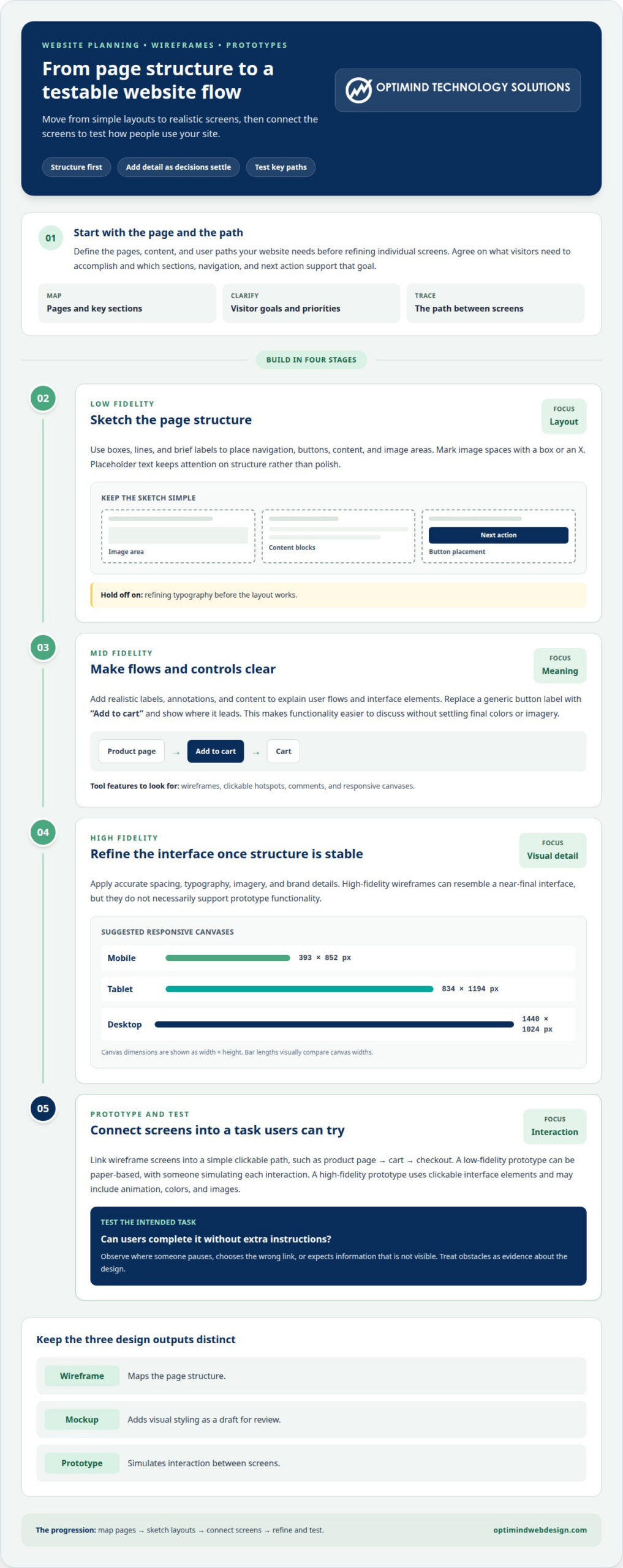
Sketch each key page with boxes, lines, and brief labels before adding visual polish. Mark image areas with a box or an X, and position navigation, buttons, and content clearly. Low-fidelity wireframes communicate concepts quickly, while placeholder text keeps attention on structure. A wireframe maps the page, a mockup adds visual styling, and a prototype simulates interaction. Avoid refining typography before the layout works.
-
Develop Mid-Fidelity Wireframes
Add realistic labels, annotations, and content to clarify user flows and interface elements. For example, replace a generic button with “Add to cart” and show where it leads. This makes functionality easier to discuss without locking in final colors or imagery. Choose a digital design tool with wireframes, clickable hotspots, comments, and responsive canvases. The right tool lets your team review structure and test key paths efficiently.
-
Refine High-Fidelity Wireframes
Apply accurate spacing, typography, imagery, and brand details when the structure is stable. High-fidelity wireframes can resemble the near-final user interface, yet they don’t necessarily support prototype functionality. A mockup is a visual draft for review; the European Commission describes mockups as proposed pages for visual review and adaptation. Check responsive layouts across screens: suggested canvases include mobile at 393 by 852 pixels, tablet at 834 by 1194, and desktop at 1440 by 1024.
-
Build Low-Fidelity Prototypes
Connect wireframe screens into a simple clickable path, such as product page to cart to checkout. A low-fidelity prototype can be paper-based, with someone simulating each interaction; a high-fidelity prototype uses clickable interface elements and may include animation, colors, and images. Test whether users can complete the task without extra instructions. The workflow is to map pages, sketch layouts, connect screens, then refine and test. Timing depends on page count, feedback rounds, and interaction complexity.
What is a Website Wireframe?
A website wireframe is a visual outline of a page’s content, layout, and functional elements. Use it to show where a menu, product details, or contact form belongs before visual design decisions distract from usability.
- Align stakeholders on the page’s purpose. Write down what visitors need to accomplish, such as finding a product or submitting an inquiry. Use this goal to agree on essential sections, navigation, and the next action. A sales stakeholder may prioritize product details, while a support lead may need help content to be easy to find. Resolve these priorities before refining the layout.
- Invite focused feedback on the structure. Share the same wireframe with decision-makers and ask them to review specific elements, such as menu labels, form fields, and the call to action. A grayscale layout keeps feedback focused on placement and sequence rather than colors or imagery. Record each suggestion beside the relevant element, then group comments into content, navigation, and usability issues.
- Test a real task with a user. Ask someone unfamiliar with the layout to find a product category or locate the company’s contact details. Observe where they pause, choose the wrong link, or expect information that isn’t visible. Moderated testing can show whether users complete the wireframe’s flow without instructions. Treat each observed obstacle as evidence about the design, not a reason to ask the user to try harder.
- Revise the outline and review it again. Move confusing elements, clarify labels, and remove sections that distract from the main task. For example, if a test user overlooks “Request a quote” beneath several secondary links, move it closer to the page’s primary content. Share the updated wireframe with stakeholders, explain the changes, and check whether the revised path is clearer. This feedback cycle gives visual design a stronger usability foundation. A structured UX design process can help connect wireframe decisions to user needs.
Benefits of wireframing
Use wireframes to make decisions visible before detailed design begins. A product page, checkout, or service inquiry flow gives your team specific elements to review.
- Align the team on requirements. Map the components each page needs, such as product images, specifications, and an add-to-cart control. A shared layout lets business and design teams discuss the same structure rather than interpret separate written descriptions. Record which elements are essential and which can wait. This keeps later decisions tied to the page’s purpose.
- Find gaps before visual polish. Trace a sample task, such as choosing a product variant and reaching checkout. The wireframe may reveal a missing selection step or unclear next action before colors and typography make the mockup feel finished. Fixing layout gaps now also avoids carrying them into other page designs. Review the full path, not just its opening screen.
- Make design changes easier to manage. Treat each navigation bar, product card, and call-to-action area as a movable component. If a category page needs filters above its results, adjust the layout before repeating that pattern on other pages. Reuse consistent components across similar screens, and note where a page needs a different arrangement. This gives the final design a clearer, more consistent foundation.
- Use a prototype to test interaction. Connect key controls so a reviewer can move from a product listing to a cart, or open a menu and select a section. Testing shows whether labels, transitions, and screen order support the intended task. A prototype also helps the team distinguish a visual preference from a functional issue. Apply feedback to the relevant screen, then retest the changed path before development.
- Keep visual decisions tied to purpose. Add colors and refined imagery after the page structure supports its main task. For example, a prominent checkout action should remain easy to find once the mockup gains brand styling. Reviewing structure first gives designers a practical basis for judging visual choices and helps each element support a usable final design.
Website wireframe definition and purpose
Treat a wireframe as the structural blueprint for a web page, not a miniature finished product. It represents content, layout, and key functions so teams can evaluate the page’s logic before visual styling or development begins.
- Define the page’s job. Write one clear task at the top of the wireframe, such as helping a visitor compare service plans. List the information needed to complete that task, including plan features, differences, and a next step. This keeps the outline focused. If a section doesn’t help visitors understand or act, reconsider its place.
- Arrange content in a useful sequence. Place important information where visitors need it. On a product page, that may mean showing the title, options, and purchase control before supporting details. Use boxes and labels to show each element’s position, size, and relationship to other elements. The layout should make the reading order clear, even without colors or finished images.
- Use placeholders with intent. A box marked “product image” communicates the image’s role without choosing a photograph. Placeholder copy or lorem ipsum can reserve space, but real headlines and button text often reveal whether the layout has enough room. For example, “Check delivery options” is more informative than a generic button label when mapping a checkout step.
- Check the blueprint against the user journey. Trace a task from entry to completion, such as moving from a category page to a product and then checkout. Confirm that the wireframe shows the necessary controls and content at each stage. The purpose is to expose missing information, unclear steps, and layout gaps before they become development decisions.
Use a clear page blueprint to turn business requirements into a buildable structure. Plan your website structure before development begins.
Optimind Technology Solutions
Optimind Technology Solutions can turn a website outline into a coordinated design and development plan. If your pages need to support a clear customer journey, specialized workflows, or an online store, its Web Design and Development and UX Design services connect user needs with practical site structure. This support helps stakeholders align on navigation, page layouts, and interactive concepts before development advances. For custom workflows or e-commerce requirements, the team can carry those decisions into Custom Web Application Development or E-Commerce Development. The result is a design direction grounded in how people need to use your website, not visual styling alone. Contact Optimind Technology Solutions to discuss your website structure and prototype needs.
Turn the Design Into Your Next Move
Give your next website project a clear decision path: define what the design should help people do, then use that goal to guide each review. A disciplined website wireframe and prototype design process creates a working reference for decisions about content, user journeys, and development priorities. Keep those decisions visible as the project moves forward, so later changes remain connected to the site’s purpose rather than becoming isolated visual tweaks.
Optimind Technology Solutions supports that progression through Web Design and Development, UX Design, and Custom Web Application Development. Its team can help shape a website or application around your business requirements and the way people need to use it. Bring your goals, key workflows, and design questions into the conversation, then set a practical direction for the next phase. Discuss your website project with Optimind Technology Solutions and take the next step with clarity.
Frequently Asked Questions
What is a prototype?
A prototype is a model for examining a proposed website experience, not the finished website. Some controls may demonstrate a response without connecting to live data or services. For example, a prototype checkout can show the screen sequence while payment processing remains outside the model. Treat it as a decision-making tool, not a production-ready site.
Who is responsible for creating wireframes?
A designated design lead should own the wireframe, while relevant specialists contribute details and review decisions. For example, a content specialist can check whether headings fit the intended message, and a technical lead can flag implementation constraints. Naming one person to consolidate edits prevents conflicting versions and gives the project a clear point of accountability.
What information should be prepared before starting a website wireframe?
Gather existing materials that show how the current website performs and operates. Useful inputs include customer support questions, search terms already bringing visitors to the site, current page copy, brand assets, and known system dependencies. For a redesign, flag content that must remain available and pages with outdated information. These references ground layout choices in the project’s real context.
How can usability testing improve a website prototype?
Use testing notes to distinguish a navigation problem from unclear content or an unexpected interaction. Record the screen where the issue occurs, what the participant tried, and whether they recovered without help. For example, a user who finds a form but misunderstands a field label reveals a different design issue from someone who never finds the form.
What should be included in a website wireframe and prototype design brief?
Specify the expected deliverables, project boundaries, review process, decision owner, and acceptance criteria. Define how the team should handle states such as an empty cart, invalid form entry, or unavailable search result. Include the brief’s version and identify who approves changes. These details reduce ambiguity during review and help teams decide whether each design file is ready for handoff.
How long does it take to wireframe and prototype a website?
An early website prototype may take a few hours. The overall timeline depends on page count, feedback rounds, and interaction complexity.