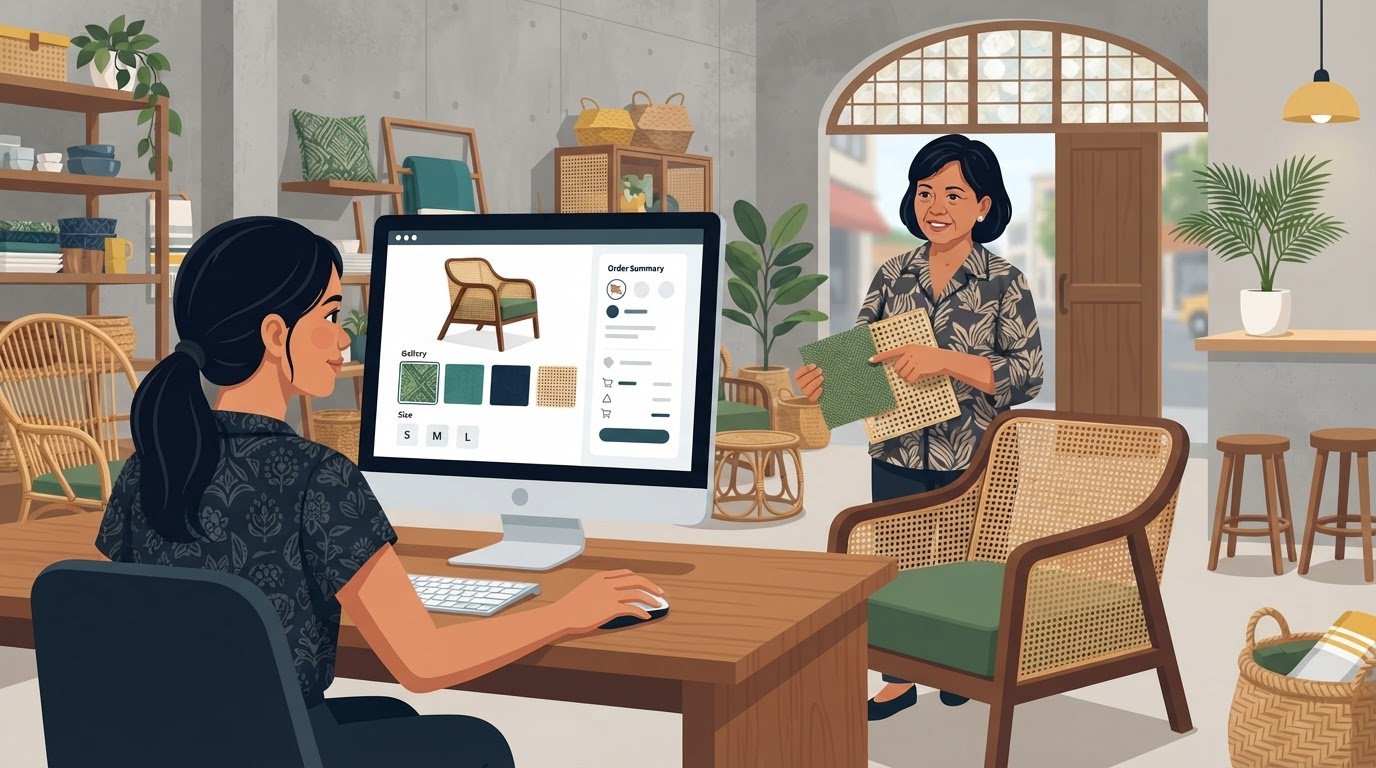
Your website should fit how your business works, not force your team to work around a template. Custom WordPress development can shape the site’s structure, features, and customer journey around your needs. An attractive design matters, but it is only one part of a business-ready site. The platform also needs to help customers find products or services, complete key tasks, and interact with your team, while giving staff a manageable way to update content as workflows change. This article explains the practical benefits of a tailored WordPress site, including how custom functionality can support specialized workflows and e-commerce journeys. It also covers what to assess in performance, security, plugin choices, and code quality, and how those decisions affect speed, reliability, and future flexibility. You’ll see what to define early and how thoughtful technical choices can align the site with business priorities.
Key Takeaways
- Assess how loading speed, mobile responsiveness, and security practices affect the experience your site delivers.
- Consider a tailored theme when a pre-made theme cannot support your brand, content, or business requirements.
- Keep plugins focused and code quality high to reduce maintenance challenges and support reliable updates.
- Map your workflows and integrations before development so the site’s features address real business needs.
Common performance and security pitfalls
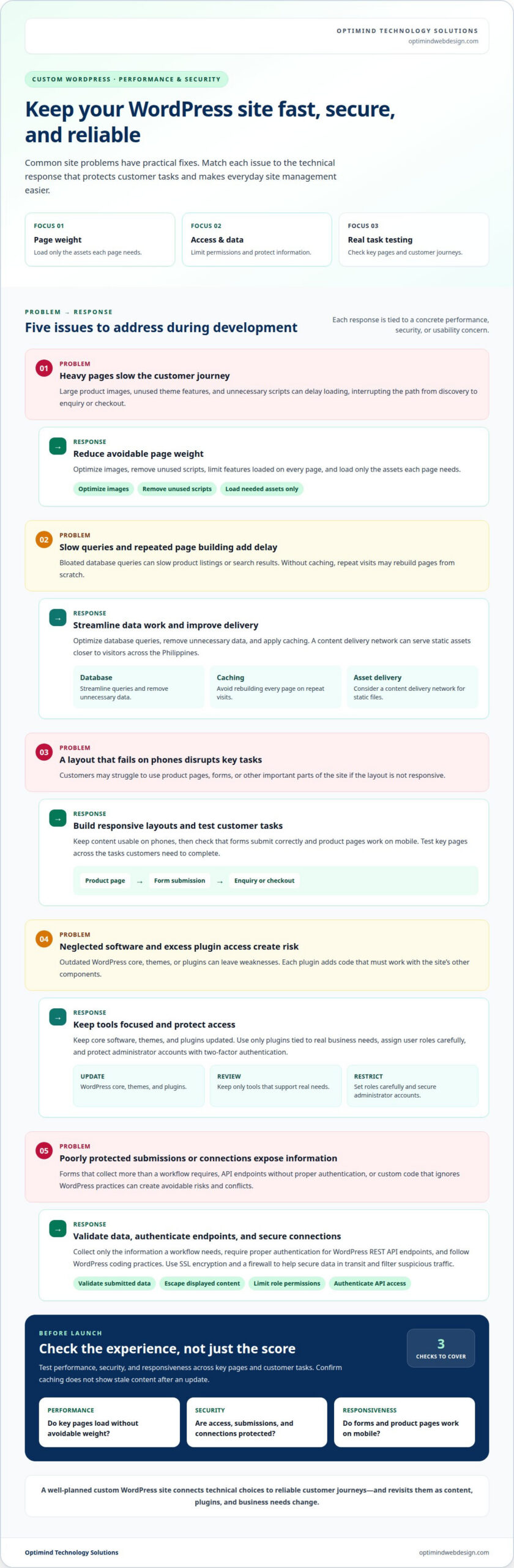
A slow mobile experience can interrupt a customer’s journey from product discovery to enquiry or checkout. Large product images, unused theme features, and unnecessary scripts can delay page loading. A custom WordPress site should load only the assets each page needs. Image optimization and fewer HTTP requests can reduce avoidable page weight, while responsive layouts keep content usable on phones.
Database optimization and caching address different sources of delay. A database stores content and settings, and bloated queries can slow pages that display product listings or search results. Technical work can streamline those queries, remove unnecessary data, and apply caching so repeat visits do not rebuild every page from scratch. A content delivery network can also serve assets closer to visitors across the Philippines, reducing the distance those files travel.
- Reduce page weight: Compress images, remove unused scripts, and limit features that themes load on every page.
- Improve delivery: Configure caching and consider a content delivery network for static files.
- Protect access: Keep WordPress core, themes, and plugins updated; use strong account controls and secure API authentication.
Security weaknesses can stem from neglected software, excessive plugin access, or poorly protected data. Each plugin adds code that must work with the site’s theme and other components. For example, a plugin that handles customer submissions should collect only the information the workflow requires, while a WordPress REST API endpoint should require proper authentication. Custom code should also follow WordPress coding practices to reduce conflicts when core software changes.
Before launch, test performance, security, and responsiveness across key pages and customer tasks. Check that forms submit correctly, product pages work on mobile, and caching does not show stale content after an update. These checks connect technical quality to reliable customer journeys, not just a strong score in a test tool. A well-planned project builds optimization and security into development, then revisits them as content, plugins, and business needs change.
What benefits have custom WordPress websites?
A tailored WordPress site can reflect your brand and fit how customers and staff use it. Its value comes from matching the site’s structure and features to real business requirements.
Moving Beyond Pre-Made Themes
A pre-made theme is designed for general use, while a custom site can reflect a business’s specific content and workflows. Consider moving beyond a general theme when staff must work around its layouts or customers struggle to find relevant information. For example, a company serving distinct audiences may need separate content journeys, each with its own navigation and calls to action.
Custom Themes and Brand-Aligned Design
A custom theme gives your business a distinct visual system and page layouts shaped around its identity. Instead of adapting brand elements to a fixed design, the site can prioritize the content hierarchy, imagery, and navigation that suit your audience. This matters when visitors move between service information and company resources, where consistent design can make the experience easier to follow.
Plugins and Custom Functionality
Custom functionality supports tasks that do not fit an existing WordPress workflow. A membership organization, for example, may need different content access for members and visitors, while staff need a straightforward way to publish updates. Define who uses each feature and what they need to accomplish. This clarity keeps implementation focused on useful tasks instead of adding options that complicate daily work.
How should you scope a WordPress project? Separate launch requirements from later ideas, then rank each feature by the customer or staff task it supports. This gives the project a clear framework for making decisions as requirements evolve.
How do you choose a WordPress developer in the Philippines? Look for relevant experience, examples of similar work, clear communication, and a process for documenting decisions. Ask how the developer will explain site administration to the staff who will use it.
What should a custom WordPress development contract include? Define acceptance criteria, how change requests will be handled, ownership of deliverables, access credentials, and the process for approving completed work. Clear terms help both sides manage decisions throughout the project.
What local payment methods, taxes, and support arrangements apply? Agree in writing on accepted payment channels, invoicing and tax documentation, and the scope of support before work begins. These details set clear expectations for a project in the Philippines.
For a site shaped around your needs, discuss your WordPress project.
Plugin security and code quality
Third-party plugins can introduce security risks, so review them carefully. Each plugin adds code and permissions, so an e-commerce site should keep only tools tied to real business needs. A store, for example, may need payment processing and inventory integration, but not multiple plugins that duplicate the same feature.
Code quality determines how safely features handle information. A custom plugin should validate submitted data, escape displayed content, and limit each account to the permissions its role requires. For instance, a customer-facing form should accept expected fields without giving visitors access to administrative functions. These controls reduce avoidable exposure and help prevent faulty inputs from affecting the site.
- Limit access: Assign user roles carefully and protect administrator accounts with two-factor authentication.
- Protect connections: Use SSL encryption and a firewall to secure data in transit and filter suspicious traffic.
- Track activity: Use activity logging and threat detection to identify unusual changes or access patterns.
A custom theme also needs clear security boundaries. Build templates with WordPress functions, keep credentials out of theme files, and separate site-specific features from presentation code. This makes changes easier to review and reduces the chance that a design adjustment will disrupt a booking form or product page. Theme updates should preserve established access controls, not bypass them.
WordPress coding and plugin-development practices matter when core software changes. Test the theme and plugins together in a staging environment before deployment, including checkout, account access, and form submissions. This can expose compatibility problems before customers encounter them. For an online store, a failed checkout can interrupt a purchase even when product pages appear normal.
Security is an ongoing part of site operations, not a one-time launch task. Schedule updates, review administrator access, and remove plugins that no longer serve a defined purpose. For example, after replacing an analytics tool, remove its old plugin and check that its scripts no longer load. This keeps the codebase easier to maintain and supports your website’s long-term success.
Custom WordPress websites and business-specific functionality
A custom WordPress website should support the way your business delivers services, manages information, and serves customers. Start by defining business goals, target audiences, and the tasks the site must handle. For example, a professional services firm may need a searchable directory of specialists, detailed profile pages, and enquiry forms routed by service category. Those requirements shape the site’s structure before development begins.
WordPress can organize specialized information through custom post types and tailored search. A training provider, for instance, could group courses by subject, delivery format, and audience, then let visitors filter for relevant options. Clear content structures make updates easier for staff, while consistent page templates give each listing a familiar format. The result is a site organized around the information customers need to take action.
- Map the workflow: Define how a visitor moves from a landing page to an enquiry, booking, or account task.
- Set information rules: Identify what each content type stores, displays, and allows staff to update.
- Plan connections: Specify which external systems exchange data with WordPress and what each connection must deliver.
- Test real tasks: Check that users can complete key journeys on desktop and mobile devices.
For e-commerce, business-specific requirements may include tailored product details, subscription options, or checkout steps that reflect how orders are fulfilled. A WordPress site can connect these features with relevant services through APIs, with each integration defined by its purpose and data flow. This planning prevents a custom feature from becoming a disconnected add-on that staff must manage separately.
Keep the scope focused on operational needs. Each feature should solve a defined customer or staff problem, not simply add complexity. In a custom WordPress project, requirements analysis, user experience design, development, and quality testing turn those needs into a usable system. This approach helps create a WordPress website that supports current workflows and can adapt as the business evolves.
Plan your business-specific WordPress project around the workflows your website needs to support.
Optimind Technology Solutions: Custom Web Application Development
Optimind Technology Solutions builds WordPress sites and custom web applications around specific workflows. Turn to the team when your site needs tailored functionality, a clearer customer journey, or connections between WordPress and business systems.
For a WordPress project, Development for WordPress can create a site shaped around your content and operational needs. If your requirements extend beyond standard website pages, Custom Web Application Development can support more specialized processes. Web Design and Development and UX Design bring structure and usability into the project, helping customers navigate tasks and staff manage the site.
Before work begins, define your business goals, audience, essential features, and the systems the website needs to connect with. These details give the project a clear scope and help align design and technical decisions with day-to-day use.
Contact Optimind Technology Solutions to discuss your website requirements.
Turn Your Website Plan Into a Clear Next Step
Turn your ideas into a project brief that identifies business priorities, the people your site serves, and the decisions it should help them make. Rank requirements by operational importance, then separate essential launch features from later enhancements. This gives your team and development partner a shared basis for setting scope, reviewing progress, and defining what success should look like after launch. A focused brief also keeps custom WordPress development tied to business needs instead of an unfocused feature list.
Optimind Technology Solutions brings Web Design and Development, UX Design, and Custom Web Application Development to projects that need a coordinated digital solution. Its team can help connect user needs with the site’s structure and the functions your business depends on. Bring your priorities and workflow requirements into the conversation, then identify a practical direction for the project. Contact Optimind Technology Solutions to discuss your next step and move your website plan forward.
Frequently Asked Questions
What is important in custom WordPress services?
Agree on who owns project files, who receives administrator access, and what documentation will be handed over. These details matter if staff changes or another developer later supports the site. For example, an operations manager should know where to find the site editing guide and how to request access. Clear handover terms help your business retain practical control of its digital assets.
Why hire a professional WordPress developer?
A developer can assess technical trade-offs and explain how a proposed feature affects the site’s existing structure. This matters when a request could be handled through configuration or requires bespoke code. Before adding a reporting tool, for example, a developer can clarify what information staff need and how they will use it. This helps prevent building a feature that solves the wrong problem. Dedicated engineering teams, such as Shark Matrix Technologies LLC, emphasize this approach to ensure custom solutions fit long-term business goals without unnecessary complexity.
How does a tailored WordPress site differ from standard WordPress?
Both use WordPress as their content management system; the difference lies in the additional design and features built for a particular business. A tailored setup can shape the editing experience, not just what visitors see. For instance, editors might get clearly labeled fields for a campaign, while administrators control which staff can publish it. This can make routine publishing more consistent.
What can a custom WordPress project include?
Deliverables can include a content migration plan, editor guidance, and agreed acceptance criteria alongside the website. For a company moving from an older site, the migration plan can identify which pages need updating, redirecting, or retiring. Ask for deliverables to be described in plain language, with a named person responsible for approving each item. This reduces uncertainty at handover.
How long does a custom WordPress project take?
Complex projects involving custom functionality, integrations, e-commerce, or headless architecture may take 6-12 weeks or longer. The schedule also depends on how quickly decisions, content, and access to connected systems are ready. A project plan should identify approval points and dependencies, such as product information needed before store testing. Those milestones make progress easier to track than a launch date alone.
Custom WordPress site or pre-made theme: which is better?
A pre-made theme is a practical fit when its layouts and editing controls match your publishing needs. A tailored site makes more sense when the theme forces repeated workarounds or cannot support a required user journey. Compare the options against everyday tasks, such as publishing a new service page or maintaining product information. Choose the approach that keeps these tasks clear for your team.