
Shopping cart website development connects your products to the full purchase journey, from selection to payment and shipping. The right setup depends on how your business operates and what your customers need.
Hosted carts manage core platform tasks, while self-hosted carts offer more control over customization and technical upkeep. The best fit depends on your store’s requirements and the resources available to manage it.
This guide explains what cart development involves, how shipping choices affect the buying experience, and how to choose a platform that can support your business as it grows.
Key Takeaways
- Choose hosted or self-hosted software based on how much control your store needs and who will manage its technical upkeep.
- Prioritize checkout features that fit your customers, including suitable payment methods, clear cart updates, and a smooth mobile experience.
- Make shipping choices and delivery information easy to understand throughout the shopping journey.
- Match the cart to your product range, order workflows, and plans for growth rather than choosing by platform popularity alone.
1. How professionals choose between hosted and self-hosted shopping carts
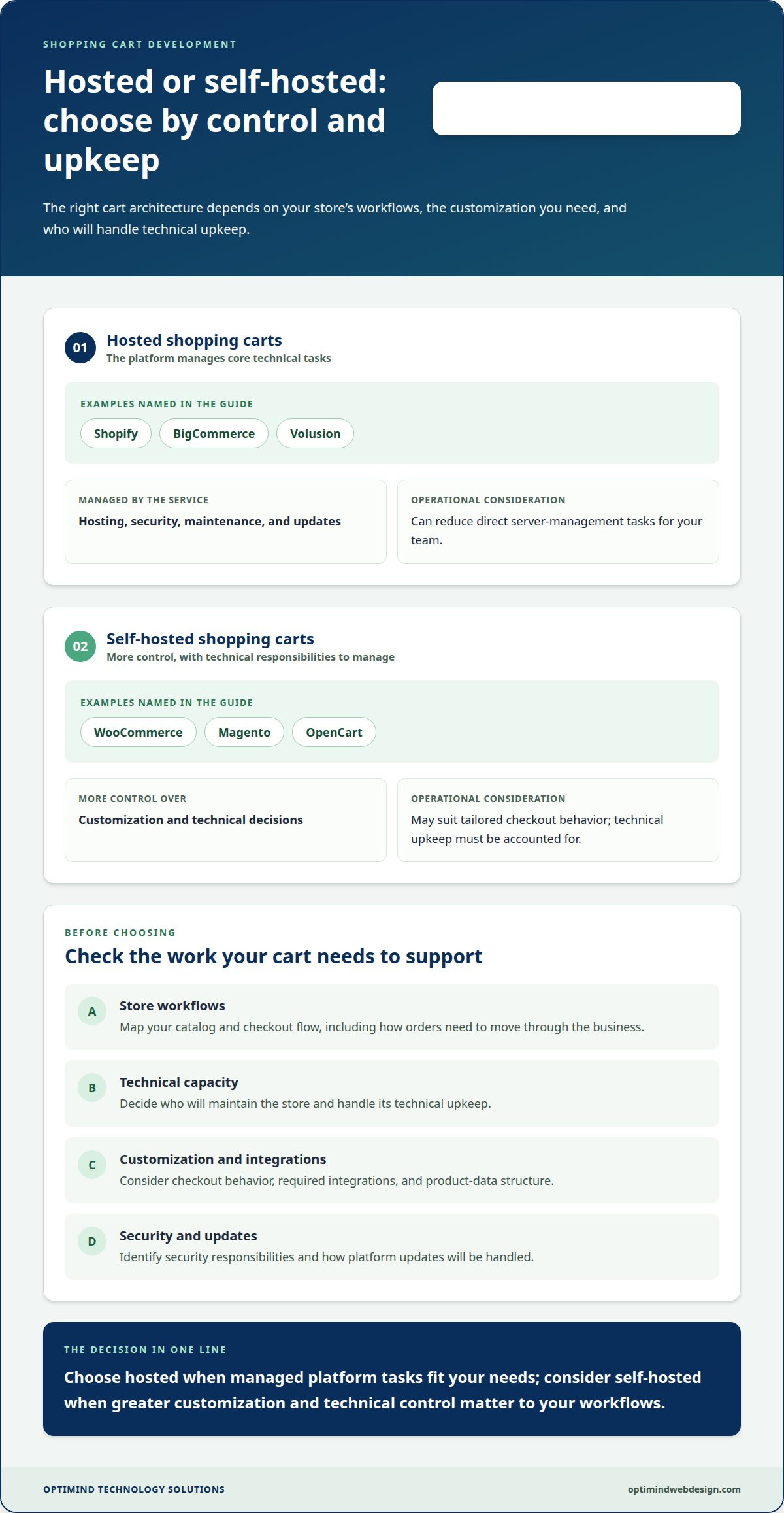
A web professional starts by mapping your catalog, checkout flow, and in-house technical capacity. Hosted services such as Shopify, BigCommerce, and Volusion manage hosting, security, maintenance, and updates. Self-hosted systems such as WooCommerce, Magento, and OpenCart offer more control over customization and technical decisions. The right architecture depends on who will maintain the store and how its workflows need to operate.
Next, the professional weighs platform flexibility against the work required to operate it. A hosted cart can reduce direct server-management tasks, while a self-hosted cart may suit a business that needs tailored checkout behavior. Licensed shopping carts may require website development and server-management expertise. The assessment should cover integrations, product-data structure, security responsibilities, and update processes.
A mini cart lets shoppers quickly review selected products without leaving the page. For example, a compact panel can show item names, quantities, and a link to checkout. This keeps cart details visible while customers browse, but limited space can obscure delivery information or make edits awkward. Professionals weigh convenience against mobile usability and checkout clarity.
Shoppers use ecommerce carts to collect products, review their selections, change quantities, and proceed to payment. An abandoned cart is one left behind after products are added but before the purchase is completed. Professionals look for friction at every step, including unclear shipping details, unexpected account requirements, or a confusing route back to browsing. Cart design cannot prevent every abandoned purchase, but a clear flow makes decisions easier.
For Philippine ecommerce websites, relevant rules cover consumer protection, personal data, electronic transactions, and payment services. These requirements affect how stores present transaction information and handle customer details. To support GCash, Maya, or online banking, a professional connects checkout to a local payment gateway that supports the selected methods. Integration covers payment initiation, transaction status, and order updates, followed by tests of successful and unsuccessful payment scenarios.
2. What is Shopping Cart Development?
Shopping cart website development connects product browsing to order completion through a coordinated customer journey. A professional maps how shoppers select items, review quantities, enter delivery details, choose payment, and receive confirmation. Each step must pass accurate product, customer, and order information forward. For example, a discount should appear in the total before checkout, not after payment begins.
Core features include product search, cart editing, order summaries, payment processing, and shipping choices. Stores can add recommendations, wish lists, reviews, coupons, and promotions to support different buying decisions. A cart may retain selected items for a few days so customers can resume shopping when they return. Choose features that fit the catalog and store operations without crowding the screen.
WooCommerce is an open-source ecommerce plugin for WordPress, designed for sellers ranging from small to large. A shopping cart website development project can configure products, cart functions, checkout, and order management within a WordPress site. A professional assesses the required extensions, connects the chosen payment gateway, and tests how orders move into fulfillment. Product data and order details should stay consistent across the store and connected systems.
Security risks include SQL injection, cross-site scripting, and session hijacking. Professionals reduce exposure through input validation, encryption, and session management. For mobile and search performance, they apply responsive layouts, touch-friendly controls, and simplified checkout, then improve speed with caching, fewer HTTP requests, and compressed images. Descriptive product titles, unique media, clean URLs, reviews, and meta descriptions support product discovery. A considered ecommerce platform plan can align these decisions with your store’s workflows.
These options let a cart support different ways to choose and complete a purchase. Shopping carts can include product recommendations, wish lists, and reviews, as well as multiple payment and shipping options, languages, currencies, discounts, coupons, and promotions. Choose a combination that fits your products and customer journey instead of treating the cart as a fixed set of controls.
Cart continuity can help shoppers resume a selection later. An ecommerce store can keep items in a customer’s cart for a few days, so they are still available when the customer returns. The customer can then continue considering the products alongside available payment and shipping options, language, currency, discounts, coupons, and promotions.
3. Shipping options, delivery time slots, and tracking
Shipping information should connect the product page, cart, and checkout without changing the promise between steps. A store can state that an order dispatches within 24 hours, then clarify that dispatch is not the same as delivery. For customers across the Philippines, the commerce website should show available delivery choices and relevant timing before payment. A clear estimate helps shoppers decide whether an option suits their needs.
Professionals configure shipping choices to match the store’s fulfillment process. A business may offer standard delivery, express delivery, or pickup if its operations support those options. The cart should show the selected method, delivery address, and relevant delivery details in the order summary. If an option is unavailable for an address, checkout should explain this clearly rather than let customers select it.
Delivery time slots also need to match operations. A professional connects the available slots to the business’s ability to prepare and dispatch orders. If a store offers morning and afternoon windows, customers should see the choices before paying, and the selected slot should appear in the confirmation. Product and cart pages should also share shipping-time information so shoppers see it before checkout.
Order tracking gives customers useful visibility after purchase. A commerce website can show clear stages, such as order received, dispatched, and delivery in progress, when those statuses match the fulfillment process. The professional maps order-workflow updates to customer-facing messages and checks that each status changes correctly. Customers can follow progress without mistaking dispatch confirmation for final delivery.
Wishlists and save-for-later functions help shoppers who are not ready to buy. Customers can save a product for another visit instead of leaving it in an active cart. For example, a wishlist can preserve a preferred item while the shopper compares shipping choices or waits to order. The professional keeps saved products distinct from items awaiting payment, so both actions are easy to understand.
Stores may encourage shoppers to add an additional $10-20 worth of items to reach a free-shipping threshold. Shopping cart integrations with payment gateways and shipping providers can use well-documented APIs and libraries.
4. How professionals choose a cart for your business needs
A professional starts with your products, order process, and growth plans. Shopping cart software can support stores selling one or two products or catalogs containing thousands. The assessment considers how customers browse, what details each product requires, and how staff receive and process orders. A small catalog with a straightforward checkout has different needs from a store managing product variations or specialized order steps.
Custom-built carts can closely match specific workflows, while established platforms provide a ready-made foundation. Shopify is hosted, while WooCommerce runs as an ecommerce plugin for WordPress. These platforms can suit common store requirements. Consider a custom build when standard platform features cannot cleanly support the functions your business needs. The decision comes down to fit, ongoing technical management, and flexibility.
Next, the professional maps the systems your online store needs to connect with. For example, the cart may need to pass order details to inventory, payment processing, or fulfillment workflows. Each integration adds a dependency, so the assessment identifies what information moves between systems and how staff use it. This helps prevent the cart from becoming an isolated sales channel.
Daily store operations also shape the choice. A professional reviews how your team will add products, update availability, manage orders, and maintain customer-facing information. A frequently changing catalog, for example, needs a practical product-management workflow. The review also covers mobile checkout, security responsibilities, and how the platform handles planned changes to the selling process.
The final recommendation should connect platform capabilities to business requirements, not popularity alone. A professional documents the needed features, integration points, maintenance responsibilities, and likely areas for future development. This gives you a clear basis for choosing between a standard platform and a tailored system. To plan a cart around your workflows, discuss your ecommerce platform requirements.
Optimind Technology Solutions
Optimind Technology Solutions helps turn cart requirements into a clear ecommerce development plan and a functioning online store. If you’re weighing a standard platform against custom workflows, its Web Design and Development and Custom Web Application Development services can support the technical decisions behind your store. UX Design helps shape product browsing and checkout around the customer journey.
Turn to Optimind when planning a new cart, refining an existing ecommerce experience, or connecting store functionality to business processes. The team can align the platform, user experience, and development approach with your requirements instead of relying on a one-size-fits-all setup.
Contact Optimind Technology Solutions to discuss your shopping cart project.
Turn Your Cart Plan Into a Stronger Store
Your next step is to translate business priorities into a clear project brief. Define the customer journey you want to support, the order tasks your team needs to manage, and the changes your store may need as it grows. A focused brief gives shopping cart website development a practical direction and keeps technical decisions tied to business operations.
Optimind Technology Solutions brings Web Design and Development, Custom Web Application Development, and UX Design together to shape digital experiences around business needs. Its team can help you move from platform decisions to a defined store experience, guided by customer usability and operational fit.
Contact Optimind Technology Solutions to discuss the right next step for your store. With a clear plan, you can build an online buying experience that is ready to support your business.
Frequently Asked Questions
What is Shopping Cart Development?
Shopping cart development is the work of designing and building software that supports online purchases. It covers how product information becomes an order, how customer choices are recorded, and how staff receive usable order details. For example, a store selling made-to-order items may need its cart to capture personalization choices and pass them accurately into order records.
What features should a shopping cart website include?
A shopping cart website should include features that prevent confusion before and after purchase. Clear product options help customers select the right size or configuration, while useful error messages explain how to fix an incomplete form. An order confirmation should reflect the submitted items and selections, giving customers a reliable record and staff a clear reference for preparing the purchase.