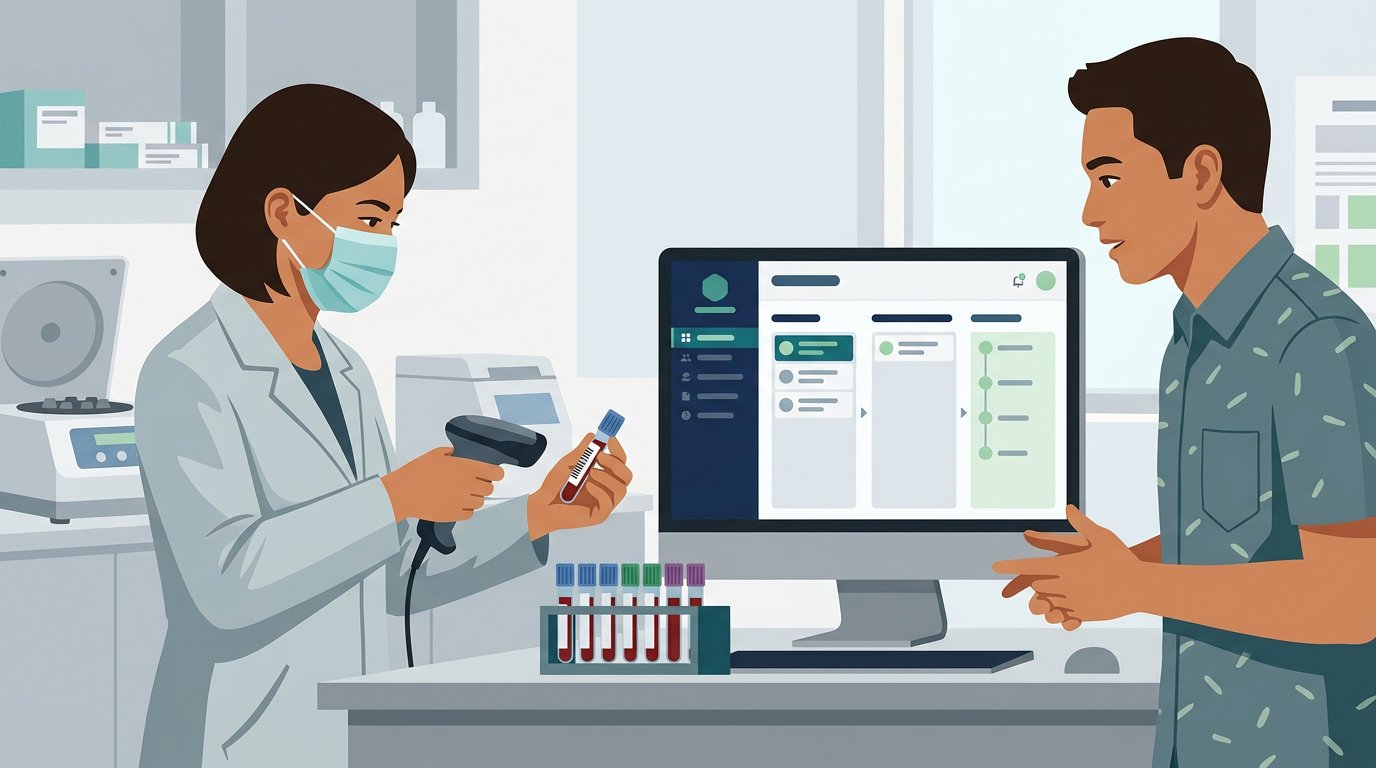
A custom web application is built around the workflows it needs to support, the systems it connects to, and the design and testing those tasks require. For custom web application development in the Philippines, defining these requirements helps ensure the application fits your business operations.
It’s reasonable to want clarity before committing. Understanding how project decisions shape the work is a practical place to start. This article explains how application design, business workflows, integrations, and development stages support your operations, helping you identify what your business needs and plan the next step with confidence.
Key Takeaways
- Project scope, integrations, security needs, and testing shape the work behind a custom application. Define the business tasks it must support before setting requirements.
- Map each user role and workflow to the application’s features. Clear design decisions help keep the system focused on how your business operates.
- Plan integrations around the data and tasks that need to move between systems. Their complexity affects development and testing.
- A staged development process turns requirements into a tested application through design, implementation, and deployment. Each step helps surface issues before they disrupt daily operations.
Third-party integrations and APIs
Integrations connect a web application to the systems your team already uses. For example, an order portal can send purchase details to inventory software and update a customer record in a CRM. This reduces duplicate data entry and helps work move between tools. Each connection needs a defined purpose, specified data fields, and a plan for handling errors.
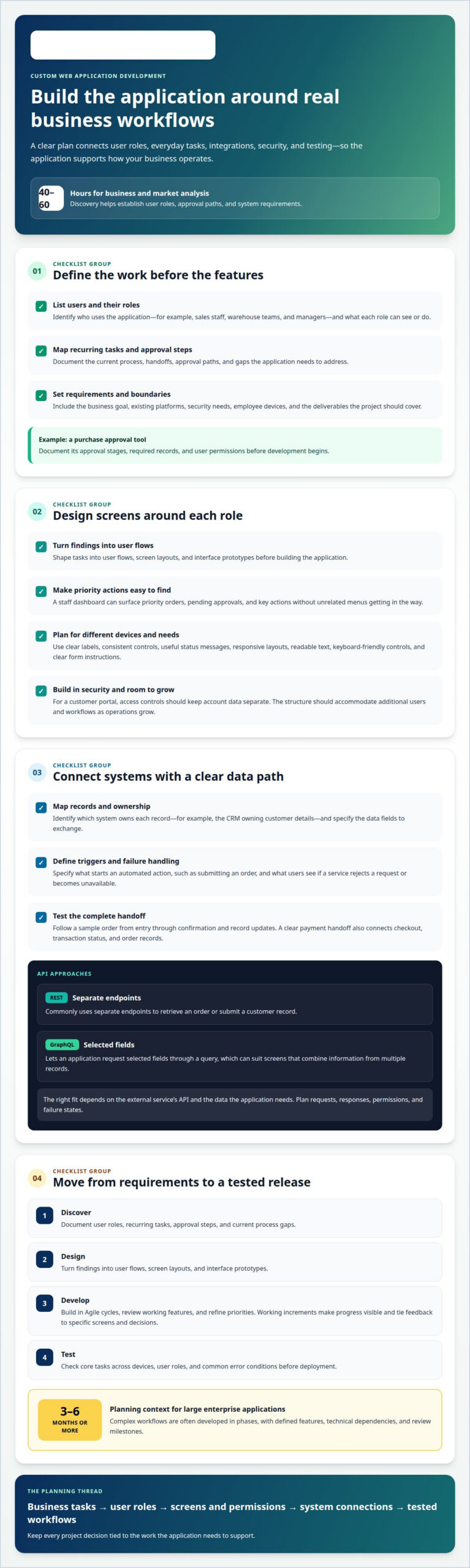
REST and GraphQL APIs offer different ways for systems to exchange data. A REST integration commonly uses separate endpoints to retrieve an order or submit a customer record. GraphQL lets an application request selected fields through a query, which can suit screens that combine information from multiple records. The right fit depends on the external service’s API and the data the application needs. Mapping requests, responses, permissions, and failure states makes each integration more predictable.
Document portals illustrate how integrations can support a complete business workflow. For example, a supplier portal can let an authorized user upload an invoice, attach delivery documents, and view its review status. The application can store each file with its related purchase record, while an API sends status changes to another business system. Tailored access rules determine who can view, upload, approve, or download documents.
- Map the data: Identify which system owns each record, such as the CRM owning customer details.
- Define the trigger: Specify what starts an automated action, such as submitting an order.
- Plan failure handling: Decide what users see when a service rejects a request or becomes unavailable.
- Test the full path: Follow a sample order from entry through confirmation and record updates.
Integration scope depends on the external API, data quality, access controls, and the number of workflow steps involved. A payment connection, for instance, needs a clear handoff between checkout, transaction status, and order records. API documentation and test credentials help developers plan these exchanges before release. Defining which system owns each data field also prevents conflicting updates when systems hold similar information. These decisions clarify the work and reduce avoidable manual handoffs.
Custom application design and business workflows
Design should follow the work your team performs, not force staff into generic software. During discovery, business and market analysis takes 40-60 hours, establishing user roles, approval paths, and system requirements. For example, a distributor may need separate views for sales staff, warehouse teams, and managers. Mapping those tasks first helps define the right screens, permissions, and handoffs. Custom web application planning can help turn these goals and user needs into practical flows before development begins.
When choosing a Philippine web development company, look for a team that ties discovery, UX design services in the Philippines, security, and development decisions to your actual workflows. Ask how its process covers responsive design, accessibility, testing, and the application’s ability to support changing needs.
Interface decisions affect how quickly people can complete tasks. A staff dashboard should surface priority orders, pending approvals, and key actions without making users search through unrelated menus. Clear labels, consistent controls, and useful status messages reduce confusion across platforms. Responsive layouts keep essential tasks usable on phones and tablets as well as desktop screens.
Build security and scalability into the application’s structure from the start. For a customer portal, access controls should keep account data separate, while the design should accommodate additional users and workflows as operations grow. Accessibility matters too: readable text, keyboard-friendly controls, and clear form instructions help more people use the software effectively.
- Discover: Document user roles, recurring tasks, approval steps, and current process gaps.
- Design: Turn those findings into user flows, screen layouts, and interface prototypes.
- Develop: Build the application in Agile cycles, review working features, and refine priorities.
- Test: Check core tasks across devices, user roles, and common error conditions.
Agile development makes progress visible through working increments rather than one final reveal. A team can review an order approval flow, refine its interface, and then move to the next workflow. This sequence ties feedback to specific screens and decisions.
For an application where interface clarity affects daily work, UX design services can help shape workflows into usable screens.
Web development project pricing in the Philippines
Project scope, architecture, integrations, and testing shape the work and its timeline. A phased plan links requirements to specific deliverables and review points.
Information Needed to Start
Start with the business goal, user roles, and tasks the application must support. A purchase approval tool, for example, needs documented approval stages, required records, and user permissions. Include existing platforms, integrations, security needs, and the devices employees use. These details help define the architecture, project boundaries, and deliverables before development begins.
Large enterprise applications with complex workflows are often developed in phases and may take 3 to 6 months or more. Each phase can establish a defined set of features, technical dependencies, and review milestones, helping teams coordinate work and track progress toward deployment.
Contracts should define project scope, deliverables, payment terms, and intellectual property ownership. Document data access, storage, and responsibilities in the project agreement, especially if the application processes customer information. Clear terms give both parties a shared basis for delivery, handover, and data handling.
Framework choices depend on the required features and architecture. A team might evaluate React for an interface, Laravel or Node.js for application logic, and PostgreSQL for structured records. The selected technology stack should support planned integrations, security controls, and future changes.
Agency, Freelancer, and Offshore Comparisons
A Philippine agency can coordinate design, development, and testing across a project, while a freelancer may handle a narrower scope directly. Offshore teams can add delivery capacity, but different time zones and communication routines may affect reviews. Compare each model by responsibility, technical coverage, handover process, and how clearly it manages project risks.
Common challenges include unclear requirements, delayed feedback, integration failures, and scope expansion. A written change process, named decision-makers, and agreed review milestones help teams manage these issues. Phasing also makes progress and deliverables easier to assess before work moves to the next stage.
Development workflow from requirements to deployment
A defined workflow turns business requirements into a working application. Each stage produces a deliverable the team can review, from approved user flows to tested features. For an inventory portal, the team can validate stock updates before connecting order notifications. This sequence keeps technical decisions tied to actual business tasks.
- Confirm requirements: Convert approved workflows into feature specifications, user permissions, and acceptance criteria. A purchase request, for example, needs submission, review, and status tracking.
- Plan architecture: Define the application structure, data flow, integrations, and deployment environment. Document how an order record moves from a user form into inventory processing.
- Build in stages: Develop agreed features in reviewable increments. A team can complete sign-in and role permissions before building an approval dashboard.
- Test key journeys: Check forms, permissions, integrations, and device layouts against acceptance criteria. Test both an approved request and a rejected submission.
Testing should cover the paths users rely on, not just individual screens. For a booking portal, verify appointment selection, confirmation messages, and changes to an existing reservation. Technical checks should also examine access boundaries, error handling, and data exchanges with connected systems. Documenting results gives the team a clear basis for resolving defects before launch.
Before deployment, prepare the production environment and confirm the release contains the approved build. A release checklist can cover configuration, database changes, and final user access. For an e-commerce workflow, confirm that an order reaches the correct processing stage after checkout. A planned release reduces uncertainty during the transition.
After launch, monitor core workflows and route reported issues to the right technical owner. A failed document upload, for example, calls for a different response than an incorrect approval status. A handover should identify the application’s main components, administrator tasks, and scheduled follow-up work. Clear documentation helps internal teams operate the system consistently.
Bring your workflow requirements into a custom application project discussion to establish the right delivery stages and technical scope.
Optimind Technology Solutions: Custom Web Application Development
Optimind Technology Solutions builds custom web applications around the business workflows your business needs to manage. Turn to the team when off-the-shelf software cannot support your processes or separate tools create avoidable manual work. The application can bring user roles, approvals, records, and integrations into a workflow designed for your operations.
UX Design shapes clear interfaces for employees and customers, while Web Design and Development supports the wider digital experience. For online stores, ecommerce website development for online stores can support product browsing and transactions. The right scope starts with the tasks, users, and systems your application must serve, then aligns design and development with those requirements.
Contact Optimind Technology Solutions to discuss your application requirements and business workflows.
Put Your Next Workflow Into Motion
Start by defining the business outcome the application must support, then translate it into a focused project scope. Identify the users, decisions, and handoffs that should become easier. This clarity gives your team a practical foundation for prioritizing features and planning the work.
For custom web application development in the Philippines, Optimind Technology Solutions brings together Custom Web Application Development, Web Design and Development, and UX Design to shape systems around real business needs. The team can align the application’s purpose, user experience, and technical direction with the way your operations work.
A well-scoped application should support today’s workflows while giving your business room to adapt. Start with the process that creates the most friction and use it to guide the first project discussion.
Contact Optimind Technology Solutions to discuss your application requirements and next steps.
Frequently Asked Questions
05 What does a project cost?
Project scope depends on the business outcome, required features, and systems involved. A focused internal tool has different needs from a customer portal with several user roles. Define essential tasks first, then separate them from later improvements. This gives your team a practical way to prioritize requirements and agree on what the first release needs to accomplish.
07 What if I need ongoing support after launch?
Plan ongoing support by defining who handles user questions, access changes, software updates, and technical issues. A useful handover identifies application components, administrator responsibilities, and issue-reporting steps. For example, an operations lead might manage user access while a technical contact reviews a failed workflow. Clear ownership helps your team respond consistently as processes and users change.
What information do I need to start a web application project?
Bring the business goal, the people who will use the application, and examples of the current process. A spreadsheet, form, or report can show what information users enter and need to retrieve. Note which existing systems connect to the workflow and who approves decisions. These details give the project team a grounded starting point for defining requirements and user tasks.
What is a web application?
A web application is software accessed through a web browser that lets people complete tasks online. For example, a customer can use a service portal to submit a request, review its status, and update account details. A website may focus on reading and browsing, while an application provides interactive functions. Users access those functions through a browser rather than installing desktop software.
What factors affect custom web app development pricing in the Philippines?
The project’s scope and workload depend on its features, user roles, data needs, integrations, and security requirements. A portal with separate customer and staff permissions needs different rules from a single-user tool. Testing also depends on the workflows and connected systems involved. Defining what each user must be able to do helps establish a clear, prioritized development scope.
What are typical project timelines for custom web application development in the Philippines?
Large applications, including enterprise platforms, multi-user portals, and systems with complex workflows, typically take 3 to 6 months or more to develop. Features, integrations, security requirements, and testing needs shape the schedule. A phased plan can organize delivery around reviewable milestones. Approval delays or changes to requirements may affect the sequence, so decision points should be included in project planning.